> ## Documentation Index
> Fetch the complete documentation index at: https://docs.covianalytics.com/llms.txt
> Use this file to discover all available pages before exploring further.
# Gifts & Entertainment Log
> Search, filter, and manage the full register of gifts and entertainment declarations.
## Overview
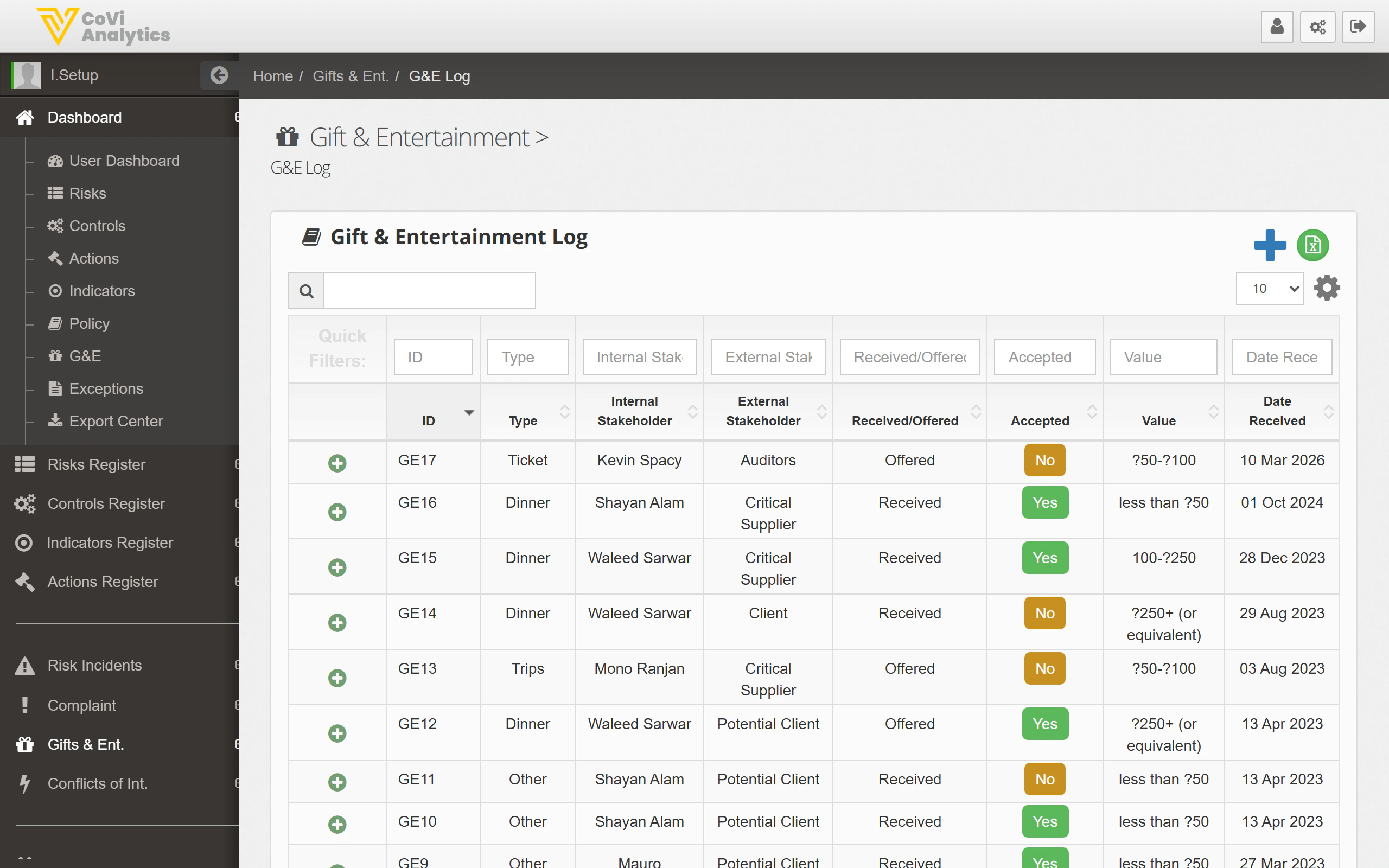
The Gifts & Entertainment Log is the detailed register of every gift and entertainment declaration recorded in CORE. While the [G\&E Dashboard](/gifts-entertainment/dashboard) gives you a summary view with charts and value-band breakdowns, the log is where you go to find specific records, review declaration details, and manage individual entries.
## How to use it
### Navigating to the G\&E Log
From the sidebar, select **Gifts & Entertainment** and then **Log**. The full register loads in the main content area.
### Browsing and searching
The log displays all declarations in a table format. You can:
* **Search** — use the search box to find records by ID, stakeholder name, type, or keyword. Results filter as you type.
* **Sort** — click any column header to reorder the table ascending or descending.
* **Filter** — use the dropdown filters to narrow records by Team, Entity, or other available criteria.
 ### Understanding the table columns
The log follows the standard CORE register pattern. Key columns include:
| Column | What it shows |
| ------------------------ | ---------------------------------------------------------------------------------------- |
| **Id** | The unique reference for the declaration. Click to open the full record. |
| **Type** | Whether the item is classified as a gift, hospitality, entertainment, or other category. |
| **Internal Stakeholder** | The employee involved in giving or receiving the item. |
| **Date Received** | When the gift or entertainment took place. |
| **Value** | The declared monetary value of the item. |
| **Status** | The current approval or review status. |
### Opening a record
Click any row to open the full declaration. From the detail view you can:
* Review the full description and supporting documentation.
* Check or update the approval status.
* Add notes or comments for the audit trail.
* View the change history.
### Pagination
For organisations with a large volume of declarations, the log is paginated. Use the navigation controls at the bottom of the table to move between pages.
## Tips & Tricks
When preparing for an audit, use the search and filter options together to isolate declarations by a specific entity and date range. This saves time compared to scrolling through the entire register.
The G\&E Log and the [G\&E Dashboard](/gifts-entertainment/dashboard) share the same underlying data. Any record you update here is immediately reflected in the dashboard's status tiles and chart.
If a declaration is missing from the log, check that your filters are not hiding it. A Team or Entity filter may be excluding records outside the currently selected scope. Clear all filters and search again to confirm.
### Understanding the table columns
The log follows the standard CORE register pattern. Key columns include:
| Column | What it shows |
| ------------------------ | ---------------------------------------------------------------------------------------- |
| **Id** | The unique reference for the declaration. Click to open the full record. |
| **Type** | Whether the item is classified as a gift, hospitality, entertainment, or other category. |
| **Internal Stakeholder** | The employee involved in giving or receiving the item. |
| **Date Received** | When the gift or entertainment took place. |
| **Value** | The declared monetary value of the item. |
| **Status** | The current approval or review status. |
### Opening a record
Click any row to open the full declaration. From the detail view you can:
* Review the full description and supporting documentation.
* Check or update the approval status.
* Add notes or comments for the audit trail.
* View the change history.
### Pagination
For organisations with a large volume of declarations, the log is paginated. Use the navigation controls at the bottom of the table to move between pages.
## Tips & Tricks
When preparing for an audit, use the search and filter options together to isolate declarations by a specific entity and date range. This saves time compared to scrolling through the entire register.
The G\&E Log and the [G\&E Dashboard](/gifts-entertainment/dashboard) share the same underlying data. Any record you update here is immediately reflected in the dashboard's status tiles and chart.
If a declaration is missing from the log, check that your filters are not hiding it. A Team or Entity filter may be excluding records outside the currently selected scope. Clear all filters and search again to confirm.