

Overview
The Conflicts of Interest Log is where your organisation records and tracks all declared conflicts. Whether a conflict is internal or external, this register helps you document the source, type, and response, ensuring you meet your governance obligations and can demonstrate oversight to regulators.How to use it
Viewing conflicts
The log displays all declared conflicts in a structured table. Each row represents a single conflict record: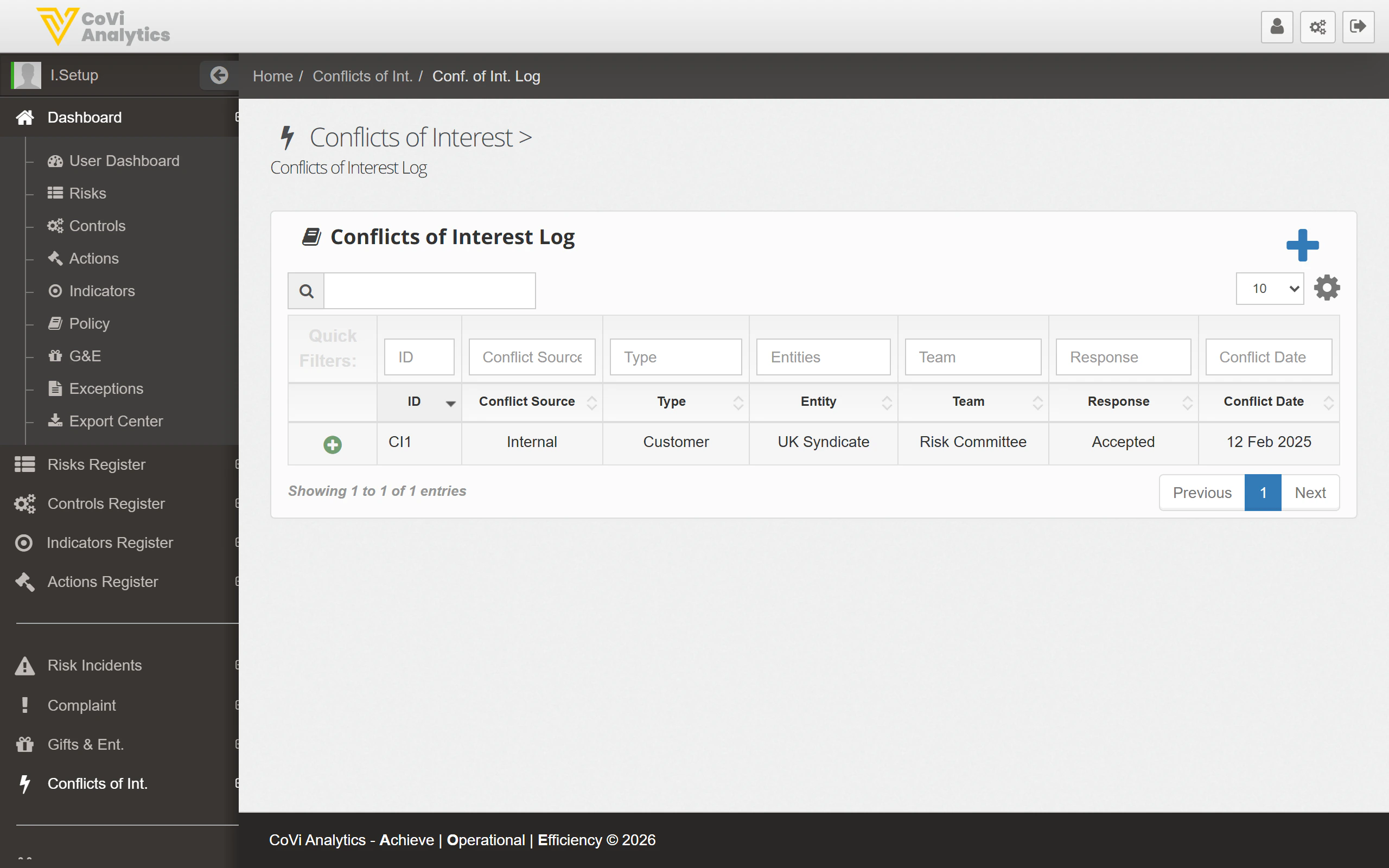
- ID — The unique identifier for the conflict (e.g. CI1).
- Conflict Source — Whether the conflict is Internal or External.
- Type — The nature of the conflict, such as Customer, Supplier, or Personal.
- Entity — The legal entity to which the conflict relates (e.g. UK Syndicate).
- Team — The team responsible for managing the conflict.
- Response — The action taken, such as Accepted, Mitigated, or Avoided.
- Conflict Date — The date the conflict was declared or identified.
Filtering and searching
Use the search box to locate a specific conflict by ID or keyword. The filter row beneath the column headers lets you narrow results by any column value, such as showing only Internal conflicts or those with a specific response type.Declaring a new conflict
Click the blue + button to open the conflict declaration form. You will need to specify the conflict source, type, affected entity, and the proposed response.Pagination
Use the pagination controls at the bottom of the table to move through the register when you have a large number of declared conflicts.Tips & Tricks
The available conflict types and response options are configurable. Administrators can update these lists in Configuration under the Conflicts of Interest tab.