

Overview
The Export Center is your one-stop destination for getting data out of CORE and into the formats you need for reporting, committee packs, and regulatory submissions. Whether you need a detailed Excel register, a formatted Word report, a presentation-ready PowerPoint deck, or a PDF summary, the Export Center handles it all with a few clicks.How to use it
Format tabs
The Export Center is organised into four tabs, one for each output format:
Select the tab that matches your intended use before configuring your export.
Excel tab
The Excel tab is the most feature-rich and is divided into several sections:Export Registers
Export the core registers from CORE as Excel workbooks. You can export:- Risks — the full risk register or a filtered subset.
- Controls — all controls or a filtered subset.
- Indicators — key risk indicators and their current values.
- Actions — open and closed actions linked to risks and controls.
- Select Entities — choose one or more legal entities to include.
- Select Team — restrict to a specific team.
- Select Owner — restrict to records owned by a specific individual.
Controls Report
Two variants are available:- Full — a comprehensive export of all control data, including testing results, ownership, and linked risks.
- Summary — a condensed version suitable for management reporting, showing control status and key metrics without the granular detail.
Discussion Report
Exports a record of discussions and comments captured against risks, controls, or other elements. Useful for evidencing governance activity during audits.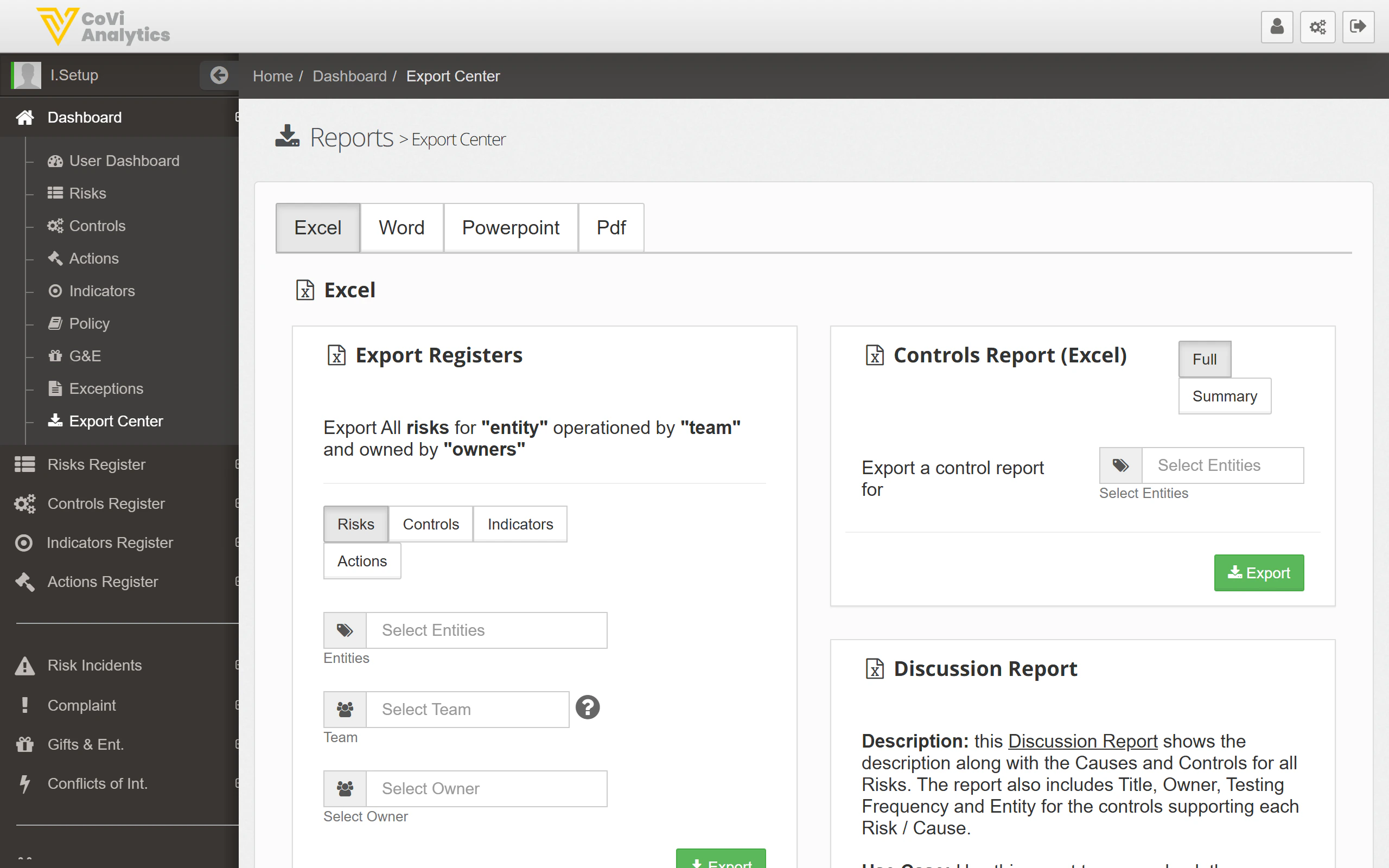
Word, PowerPoint, and PDF tabs
These tabs follow a similar pattern: select the report type, apply any relevant filters, and click Export. The available report types vary by format — for example, PowerPoint exports are typically structured as slide decks for board or committee presentations, while PDF exports produce finalised documents suitable for regulatory submission.Applying filters
Filters work consistently across all tabs:- Select Entities — include one or more legal entities.
- Select Team — narrow to a specific team.
- Select Owner — narrow to a specific record owner.
Tips & Tricks
The Export Center pulls live data from CORE. The exported file reflects the state of your registers at the time of export. If you need a point-in-time snapshot for audit purposes, note the date and time of the export and store the file accordingly. For related data views, see the Policy Dashboard, G&E Dashboard, and Exceptions pages.