

Overview
The L3 Risk Log (Level 3 Risk Log) maps your most granular risk descriptions to the broader risk hierarchy. Each row connects an L3 risk description to its parent L1 and L2 categories, and shows which risks and controls are linked. Use this page to understand the full taxonomy behind your risk framework and to verify that every detailed risk scenario has appropriate coverage. From the sidebar, expand Risks and click L3 Risk Log.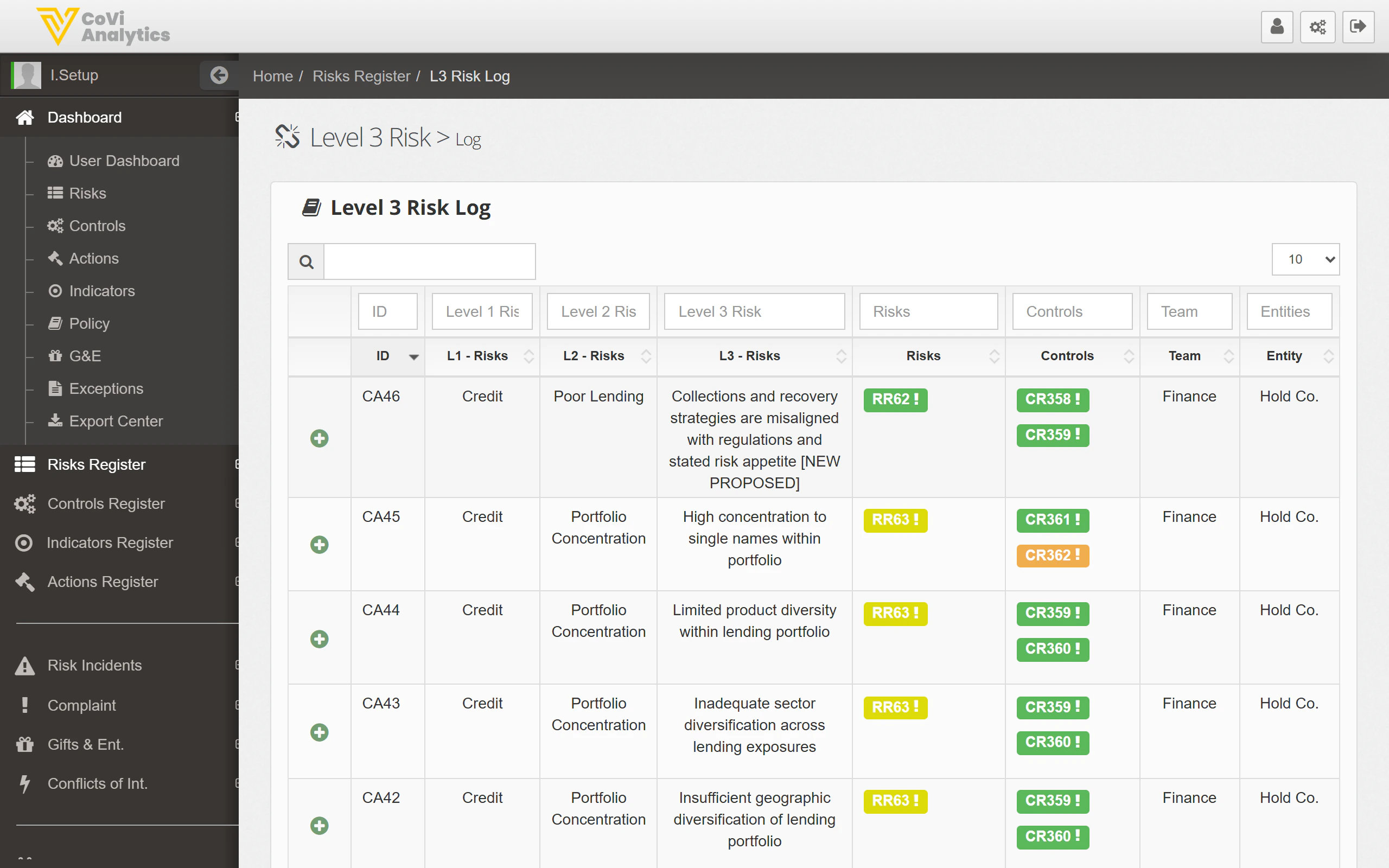
How to use it
Searching and filtering
- Search box — type any keyword to search across all columns, including the detailed L3 risk descriptions
- Column filters — use the filter row beneath the column headers to narrow by any field
Understanding the columns
Understanding the risk hierarchy
CORE uses a three-level risk taxonomy:- L1 — the broadest risk category (e.g., Credit, Operational, Financial)
- L2 — a more specific grouping within the L1 category (e.g., Poor Lending, Counterparty Default)
- L3 — the most detailed risk scenario describing a specific way the risk could materialise
Linked items
The Risks and Controls columns show coloured badges representing the risk register entries and controls associated with each L3 risk. These links are critical for demonstrating coverage:- A row with no linked controls may indicate a gap in your control framework
- A row with many linked risks suggests this is a common scenario across multiple parts of the business
Tips & Tricks
The L3 Risk Log is a reference view of your taxonomy. To change a risk’s classification or add new L3 entries, speak to your risk framework administrator.