

Overview
The Gifts & Entertainment (G&E) Dashboard provides a centralised view of all declared gifts and entertainment across your organisation. It helps compliance teams monitor volumes, spot trends, and identify items that may require additional scrutiny based on their value band. Use it to stay on top of your G&E obligations and prepare for regulatory reporting.How to use it
Status tiles
The top of the dashboard displays summary tiles that break down your G&E records by value band:
These value bands align with common regulatory thresholds. High-value items in particular warrant prompt review — see Exceptions if any require formal exception treatment.
Overview tab
The default Overview tab shows the status tiles and the bar chart described below. This is the view you will use most often for routine monitoring.Gifts over time chart
Below the status tiles, a bar chart displays the volume of gifts and entertainment recorded over time, broken down by value band. Each bar segment is colour-coded to its value band, making it straightforward to see whether high-value gifts are increasing. Use the filter dropdowns to refine the chart:- Team — restrict to a specific team.
- Entity — restrict to a specific legal entity.
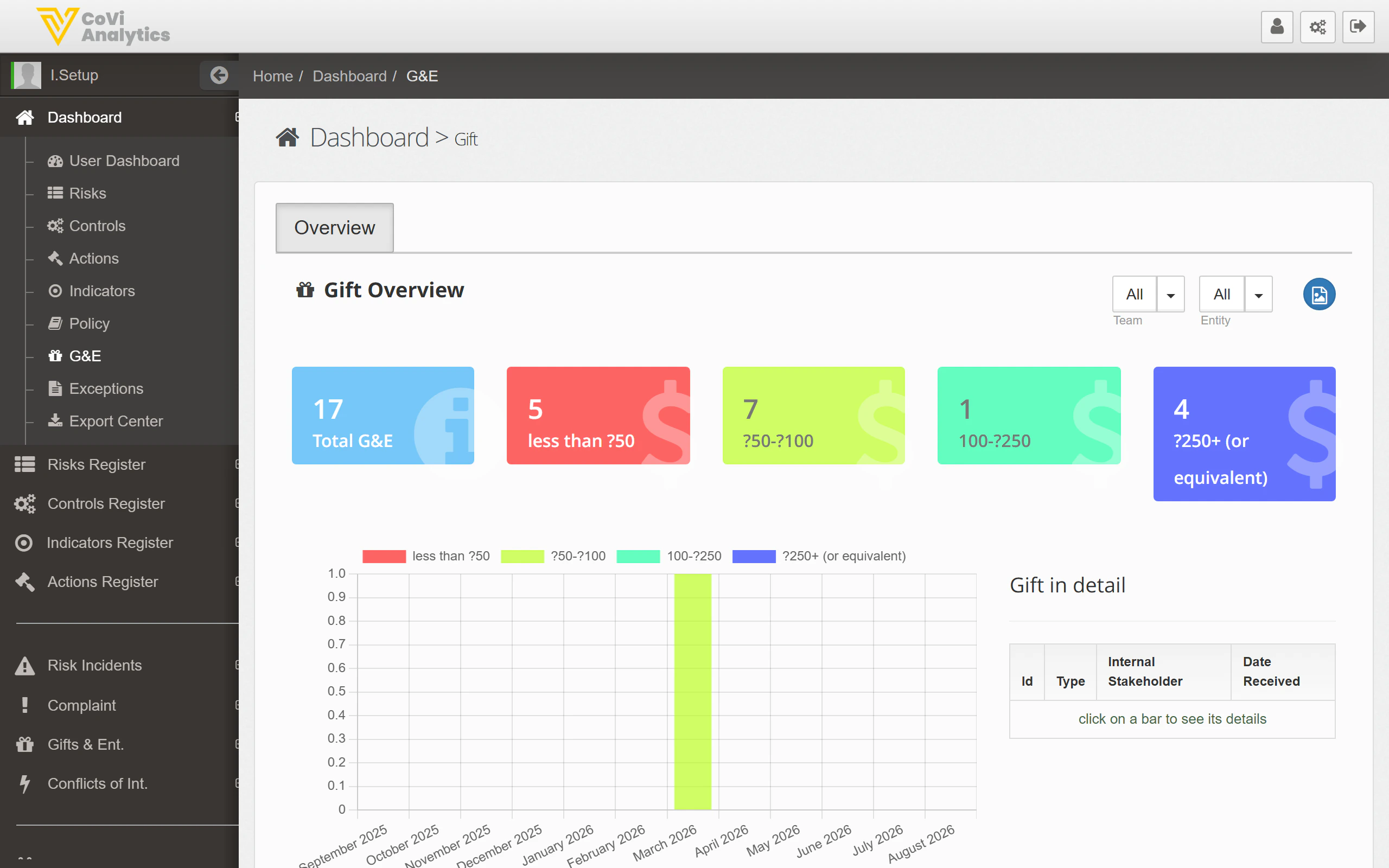
Gift in detail table
Beneath the chart, the Gift in detail table lists every G&E record with the following columns:
You can sort by any column and the table respects the Team and Entity filters applied above.
Tips & Tricks
Filters applied to the chart also affect the Gift in detail table. To return to the full organisational view, clear all filter selections. You can export the underlying data from the Export Center for offline analysis.