

Overview
The Indicators Register is the master list of every key risk indicator in your organisation. Use it to find specific indicators, review their status and upcoming review dates, and navigate to individual indicator records for editing. From the sidebar, expand Indicators Register and click Register.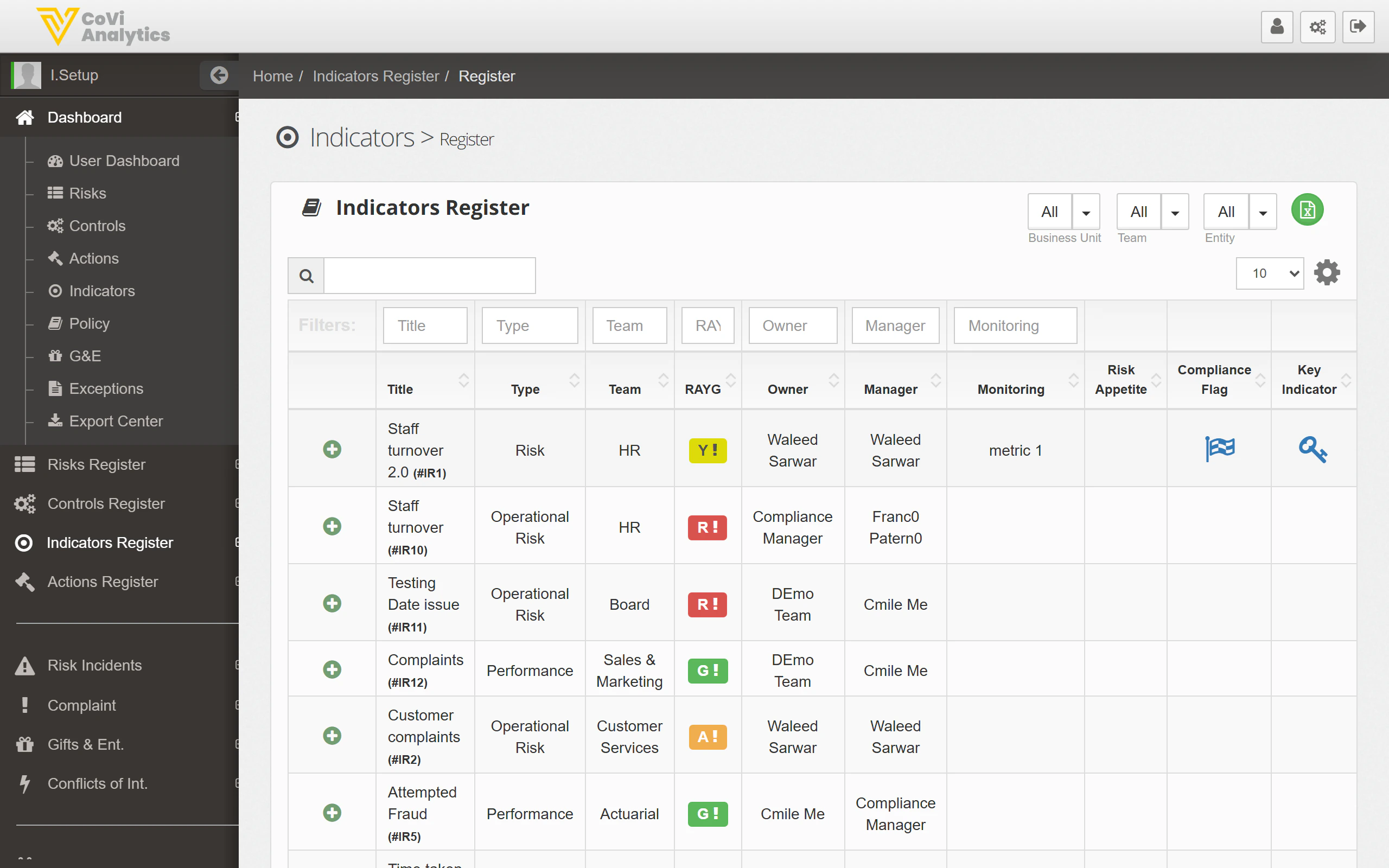
How to use it
Searching and filtering
- Search box — type any keyword to search across all indicator fields
- Column filters — use the filter row beneath the column headers to narrow by Title, Type, Owner, Status, or other fields
- Dropdown filters — the dropdowns above the table let you filter by Business Unit, Team, and Entity before the table loads
Understanding the columns
Action buttons
The icons in the top-right corner of the register give you quick access to:- Add new indicator (green plus icon) — creates a new indicator record
- Export (download icon) — export the current view to a spreadsheet
- Print — generate a printable version of the register
Pagination
Use the Previous / Next buttons and the rows-per-page dropdown (10, 25, 50, 100) to navigate through large lists.Tips & Tricks
The Indicators Register follows the same layout as the Control Register and Actions Register. The search and filter controls work identically across all registers.