

Overview
The Indicator Card is the detailed view of a single key risk indicator. This is where you review the indicator’s current status, update its assessment, manage thresholds and ownership, and see which risks and controls are linked to it. To open an Indicator Card, click on any indicator title from the Indicators Register or the Indicators Dashboard. You can also navigate from the sidebar via Indicators Register > Indicator Card and use the Load panel to select a specific indicator.Basic Information
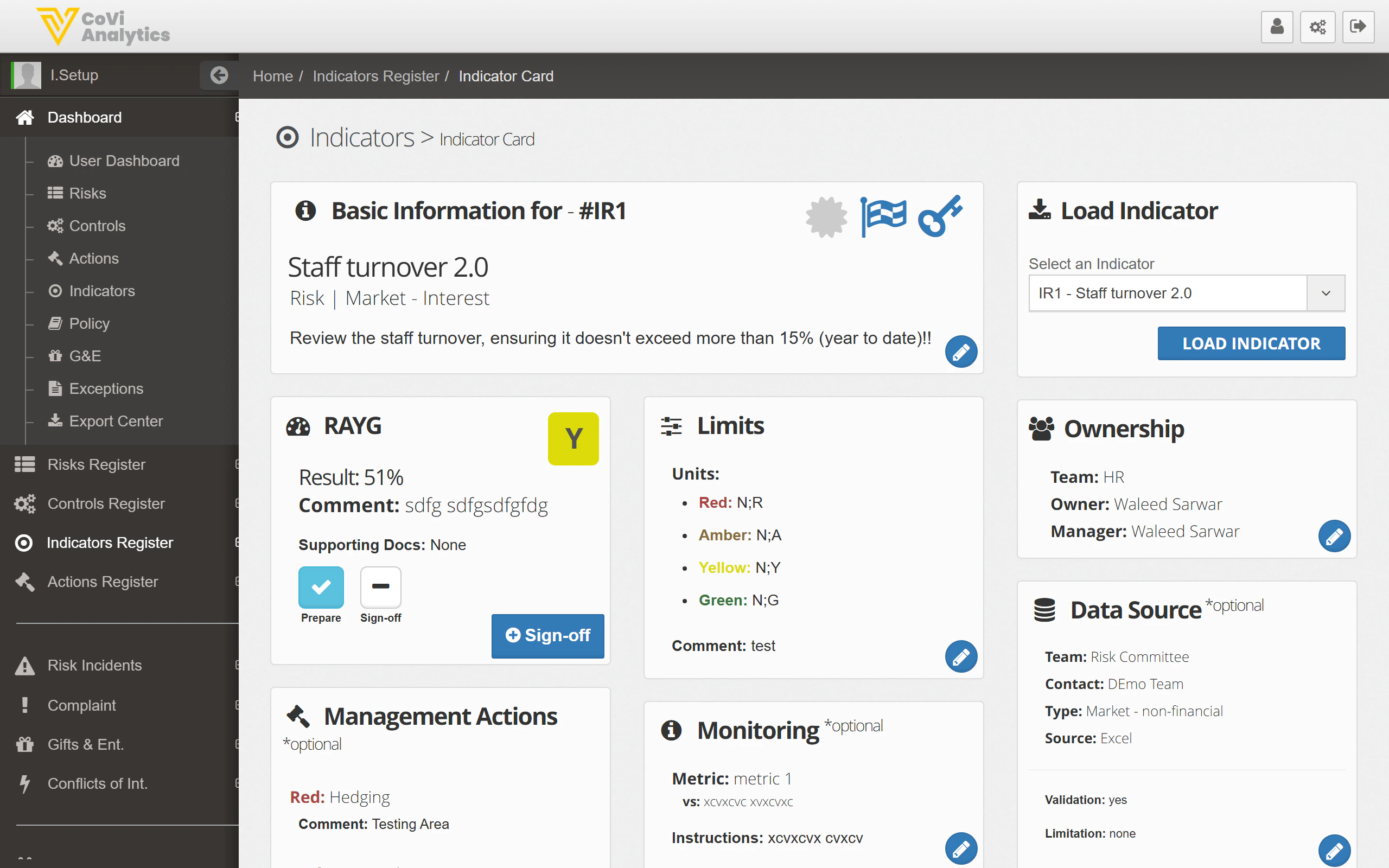
- Reference and title — the indicator’s unique ID and name
- Type — the indicator type (e.g., Leading, Lagging)
- Description — what the indicator measures and why it matters
- Thresholds — the values that determine Red, Amber, and Green ratings
- Current value — the most recent measurement or data point
- Load Indicator — select and load a different indicator from the dropdown
- Status — current status and RAG rating
- Ownership — the team, owner, reviewer, and manager assigned to this indicator
- Additional Info — entity, business unit, and reference number
- Review Info — review frequency, last reviewed date, and upcoming review deadline
Assessment
The assessment section is where you record the indicator’s current measurement and update its RAG rating:- Current value — enter the latest measurement or data point
- Preparer’s Comment — the indicator owner records their assessment of what the current value means
- Sign-off Comment — the reviewer adds their sign-off after reviewing the assessment
- Supporting Docs — attach evidence files to support the assessment
Linked Items
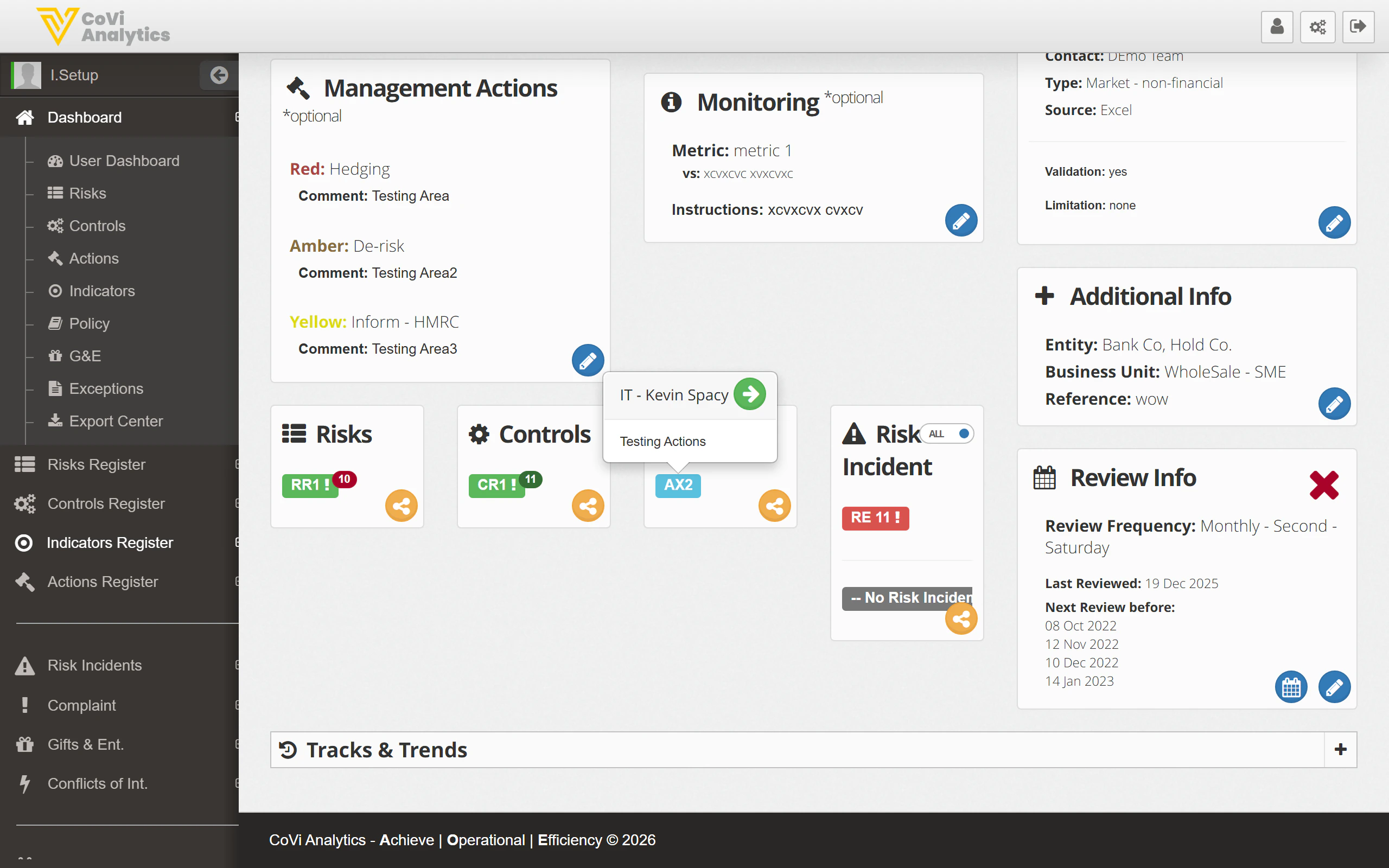
- Risks — the risks this indicator helps monitor, shown as coloured badges. Click any badge to open that risk’s record. Use the link icon to add or remove risk associations.
- Controls — controls linked to this indicator. These show which controls the indicator is designed to measure or validate. Click any badge to open the Control Card.
Tips & Tricks
The Indicator Card follows the same layout pattern as the Control Card. If you are familiar with one, you will find the other straightforward to navigate.