Overview
Control Weights let you define how much each control contributes to mitigating a specific risk. This is where the quantitative side of your control framework comes together — you assess each control’s effectiveness and immediately see how that affects the risk’s inherent, residual, and forecast ratings.
From the sidebar, expand Controls Register and click Weights.
How to use it
Selecting a risk
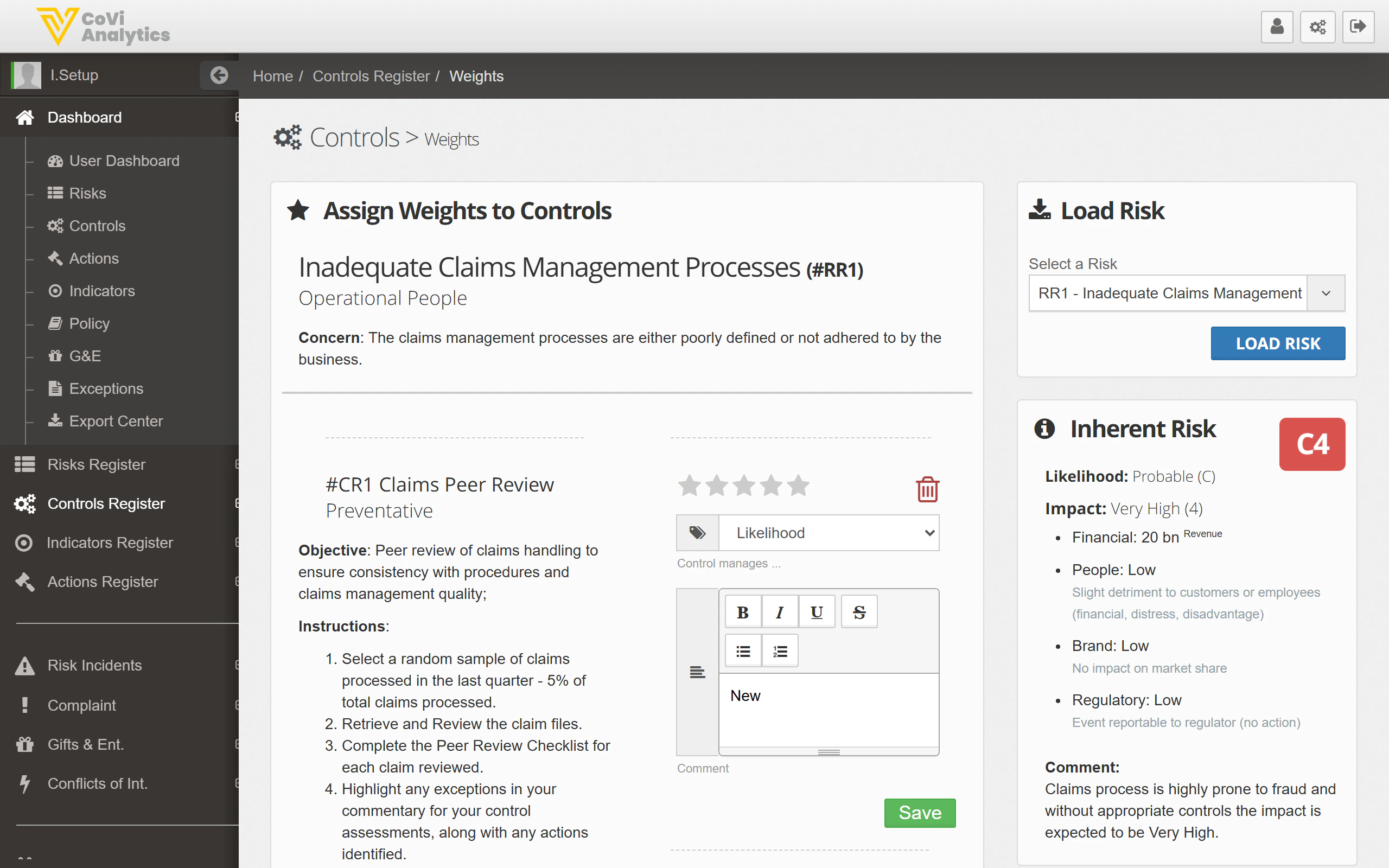
Use the Load Risk panel on the right to choose which risk you want to assess:
- Select a risk from the dropdown
- Click Load Risk
The page will display all controls linked to that risk, along with the risk’s current scoring.
Understanding the layout
Once a risk is loaded, the page shows:
- Risk details — the risk title, reference, concern statement, and the team responsible
- Linked controls — each control appears as a card with its objective, instructions, and an effectiveness rating (star rating)
- Assessment editor — a rich text area where you can document your assessment of the control’s effectiveness
Risk scoring panel
The right-hand panel shows how the risk is currently rated:
- Inherent Risk — the risk level before any controls are applied, shown as a matrix score (e.g., C4)
- Likelihood and Impact breakdowns across Financial, People, Brand, and Regulatory dimensions
- Comment — a narrative summary of the risk assessment
Rating a control
Use the star rating next to each control to score its effectiveness. The rating feeds into the overall risk calculation:
- More stars = more effective control
- The combined weight of all controls on a risk determines the gap between inherent and residual risk scores
Saving your assessment
Click Save after updating your ratings and comments. The risk scores on the right will recalculate to reflect your changes.
Tips & Tricks
Review weights quarterly alongside your control assessments. A control that was effective six months ago may have degraded — the star rating should reflect its current state.
Use the Comment field on the risk panel to explain any significant changes in the residual score. Board members and auditors will look here for narrative context.
Changing a control’s weight affects the residual risk score for everyone who views that risk. Coordinate with the risk owner before making significant changes.
If a risk has many linked controls, focus your assessment time on the controls with the highest impact on the residual score. The star ratings help you see at a glance which controls are pulling the most weight.