

Overview
The Exceptions page is where you monitor and manage all formal exceptions within CORE. An exception is raised when a control is not operating as expected or a risk event requires time-limited remediation. This page helps you track every open exception, see who owns it, understand how overdue it is, and review the full change log for audit purposes.How to use it
Tabs
The page has two tabs:- Exceptions — the default view, showing the active exceptions register.
- Change Log — a chronological record of all changes made to exception records, useful for audit trails and governance reviews.
Filters and search
Above the exceptions table, a set of filters lets you narrow the view:
Apply one or more filters in combination to find exactly the exceptions you need. For example, filter by Entity and set a date range to prepare for a quarterly governance committee.
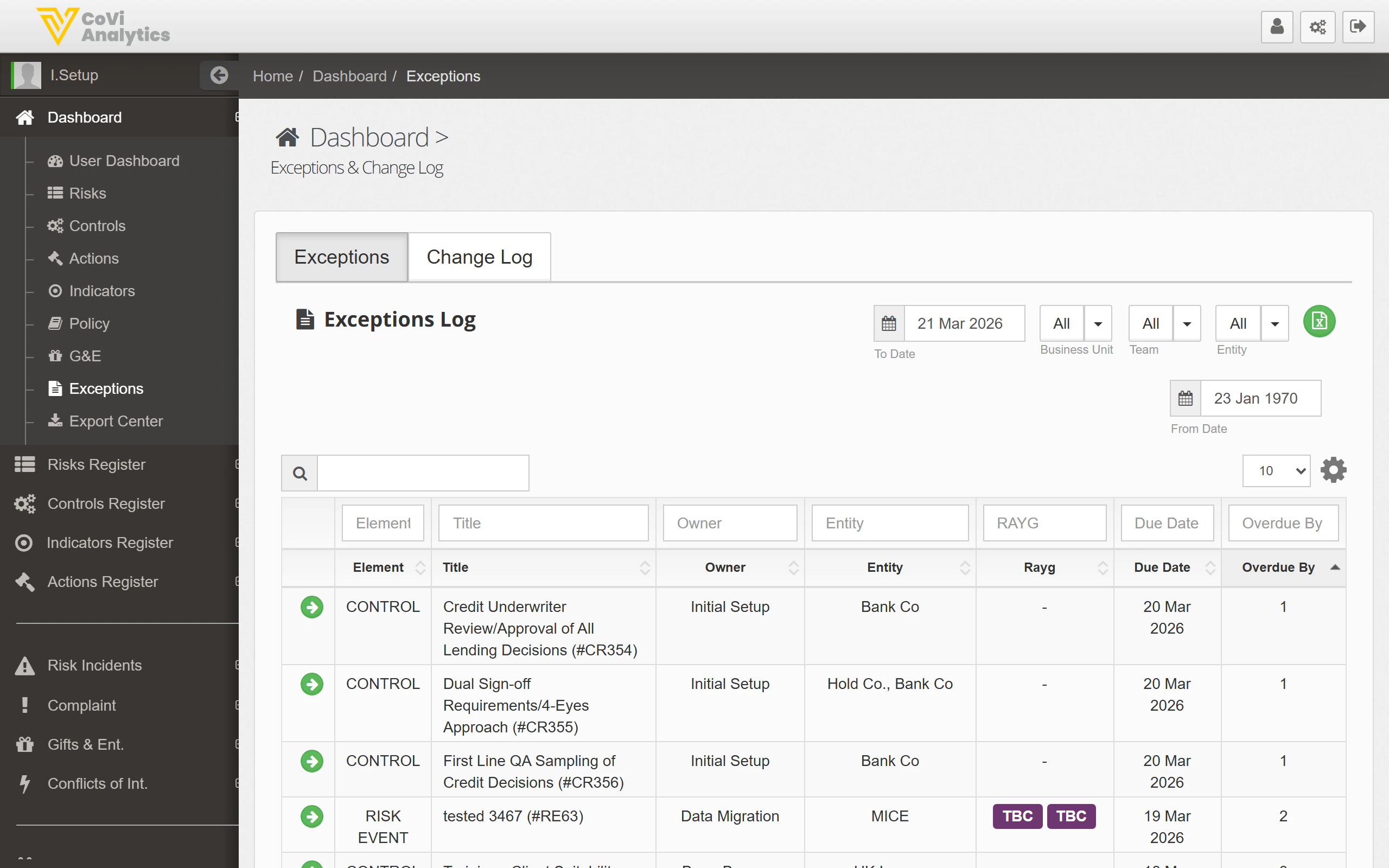
Exceptions table
The core of the page is the exceptions register. Each row represents a single exception, with the following columns:
You can sort by any column. Sorting by Overdue By in descending order is a quick way to surface the most pressing items.
Pagination
The table is paginated. Use the controls at the bottom to navigate between pages or adjust the number of records displayed per page.Change Log tab
Switch to the Change Log tab to see a time-stamped record of every update made to exception records. This includes status changes, ownership transfers, due date extensions, and any notes added. The change log is read-only and supports the same filter controls as the main exceptions tab.Tips & Tricks
Exceptions may be linked to controls or risk events tracked elsewhere in CORE. Use the Element column to understand the source, then cross-reference with the Controls or Risks registers for the full picture. You can also export exception data from the Export Center.